

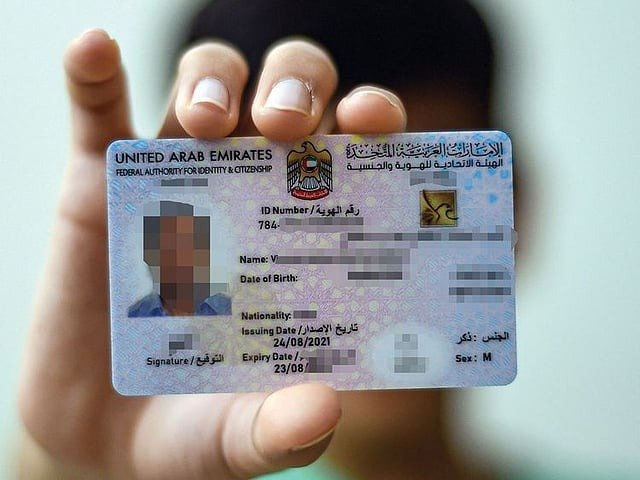
How to Replace a Lost or Damaged Emirates ID Online in the UAE
<h4><strong>Easy Guide to Replace a Lost or Damaged Emirates ID in the UAE</strong></h4><p>If you’ve lost, damaged, or had your Emirates ID stolen, don’t worry — getting a replacement is quick and simple. You can easily apply for a new one through the <strong>UAEICP app</strong>, managed by the <strong>Federal Authority for Identity, Citizenship, Customs and Port Security (ICP)</strong>. This guide explains the complete process, from reporting the loss to receiving your new card.</p><h3><strong>Step 1: Report the Lost or Damaged Emirates ID</strong></h3><p>As soon as you realize your Emirates ID is missing, stolen, or damaged, the first thing to do is <strong>report it</strong> at your nearest <strong>ICP Customer Happiness Centre</strong>. This ensures your old card is deactivated and prevents misuse.</p><p>If your card is damaged, bring the physical card with you.<br>If it’s lost or stolen, carry a copy of the ID if available. Don’t have one? The ICP staff can retrieve your ID number or provide an official confirmation.</p><p> <strong>Locate your nearest centre:</strong> <a href="https://icp.gov.ae/en/customer-happiness-centers">icp.gov.ae/en/customer-happiness-centers</a></p><h3><strong>Step 2: Collect the Required Documents</strong></h3><p>Before applying, make sure you have all the necessary documents ready. Here’s what you’ll need:</p><p><strong>Mandatory Documents:</strong></p><p>Original and valid passport</p><p>Copy of the residence visa page</p><p>Recent passport-size photo (must meet ICP requirements)</p><p><strong>Optional Documents (if applicable):</strong></p><p>Copy of old Emirates ID (front and back)</p><p>Sponsor’s passport copy</p><p>Father’s ID and passport copy (for dependents)</p><p>Entry permit, birth certificate, or disability certificate (if required)</p><p>ICP officials might ask for additional documents depending on your residency type.</p><h3><strong>Step 3: Apply Online Using the UAEICP App</strong></h3><p>You can complete your entire Emirates ID replacement process on your phone in just a few minutes.</p><p><strong>1. Download and Sign In:</strong><br>Get the <strong>UAEICP app</strong> from the App Store or Google Play.<br>Log in using <strong>UAE Pass</strong> for faster form filling. If you don’t have UAE Pass, register using your email address.</p><p><strong>2. Find the Service:</strong><br>From the menu, search <strong>“Replace Emirates ID for Residents”</strong> and click <strong>Start Service</strong>.</p><p><strong>3. Fill Out the Application:</strong><br>You’ll need to confirm your details, including your Emirates ID number, Unified Number, and residency information. Choose the reason for replacement — <i>Lost, Stolen, or Damaged.</i></p><p>Then, enter:</p><p>Personal details (nationality, date/place of birth, etc.)</p><p>Passport details (number, issue/expiry date, authority)</p><p>Address and contact details in the UAE</p><p>Delivery address (home, office, or courier centre)</p><p>If you want to update your signature, you’ll need to visit an ICP centre after submitting your application.</p><p><strong>4. Upload Documents:</strong><br>Attach all required documents and a clear passport photo. Double-check the clarity before submitting.</p><p><strong>5. Review and Pay:</strong><br>Check all your details carefully, then proceed with payment.<br>You can pay instantly using a debit/credit card or choose the <strong>Pay Later</strong> option.</p><p>Once payment is done, you’ll receive a <strong>request number</strong> via email or SMS to track your application status.</p><h3><strong>Step 4: Track Your Application</strong></h3><p>You can easily monitor your Emirates ID replacement progress online.</p><p>Go to <a href="https://smartservices.icp.gov.ae">smartservices.icp.gov.ae</a>, enter your request number, and click <strong>Quick Search</strong>.<br>The portal will show the current stage of your application — whether it’s under review, in production, or ready for delivery.</p><h3><strong>Step 5: Get Your New Emirates ID</strong></h3><p>Once your replacement card is ready, you’ll receive an <strong>SMS notification</strong> from <strong>Emirates Post</strong> or <strong>Zajel Courier</strong>.</p><p>If you selected <strong>home or office delivery</strong>, the courier will contact you to arrange delivery.<br>If you opted for <strong>collection</strong>, visit the courier office with your tracking number.</p><p> <strong>Note:</strong> The new Emirates ID will carry the same expiry date as your previous one.</p><h3><strong>Emirates ID Replacement Fees</strong></h3><p>Replacing an Emirates ID costs <strong>AED 451.40</strong>, including:</p><p>AED 300 – Card issuance fee</p><p>AED 29.40 – E-service fee</p><p>AED 122 – ICP administrative fee</p>